

You can upload PDF files of any size to MindsDB that runs locally via Docker or pip. Note that MindsDB supports only searchable PDFs, as opposed to scanned PDFs. These are stored in the form of a table inside MindsDB.Documentation Index
Fetch the complete documentation index at: https://docs.mindsdb.com/llms.txt
Use this file to discover all available pages before exploring further.
Upload files
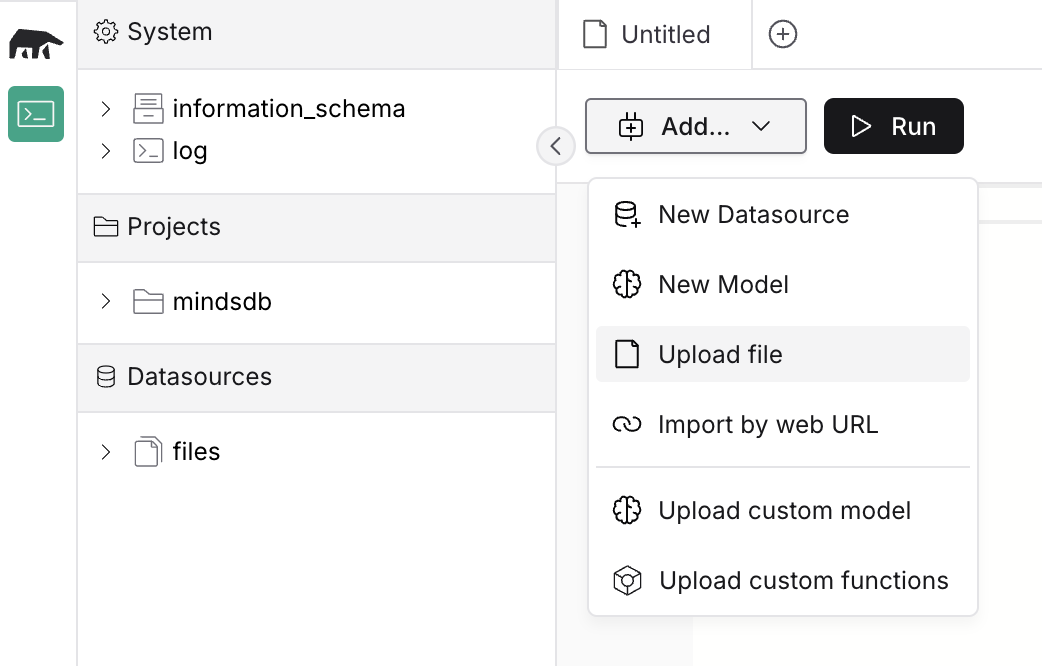
Follow the steps below to upload a file:- Click on the
Adddropdown and chooseUpload file.
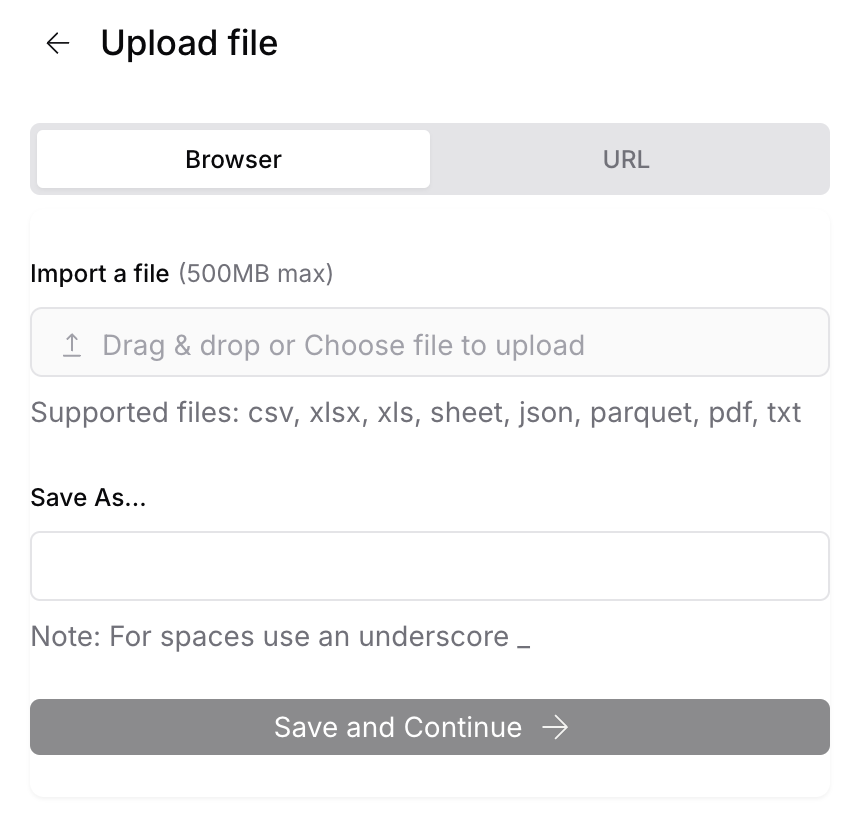
- Upload a file and provide a name used to access it within MindsDB.
Query files
Here is how to query data within MindsDB. Query for the content of the file uploaded under the namemy_file.